
Using a wallet day to day
Rename, change icon or delete a wallet
All three live in the wallet's settings: open the wallet and tap the sliders icon at the top of the screen.
Part 1: Rename
In the wallet's settings, tap Rename.
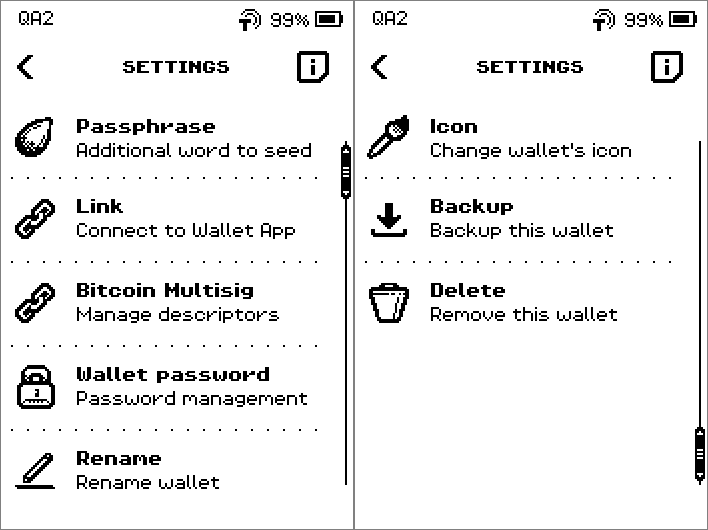
SETTINGS list with Passphrase, Link, Bitcoin Multisig, Wallet password and Rename. Delete the old name with the backspace key and type the new one.
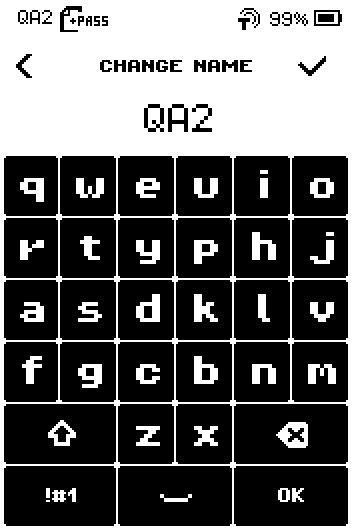
CHANGE NAME keyboard with the current wallet name QA2. Tap OK.
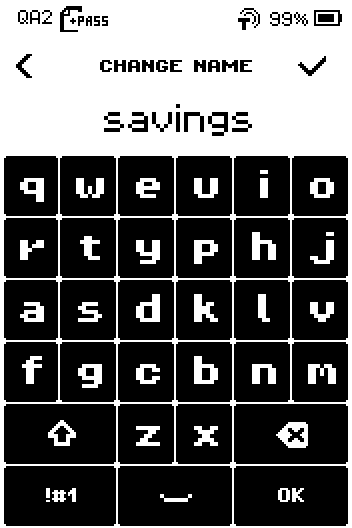
CHANGE NAME keyboard with the new name savings typed and the OK key. Check the name and tap OK.
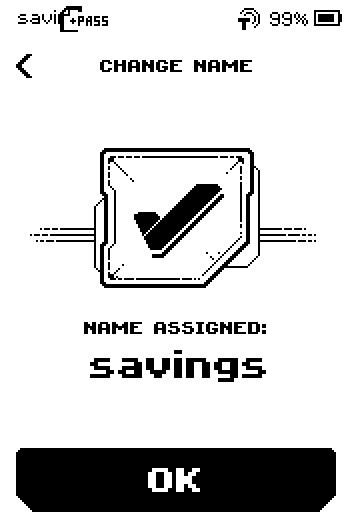
CHANGE NAME confirmation, NAME ASSIGNED: savings, with an OK button. Check the new name in the wallets list, which opens now.
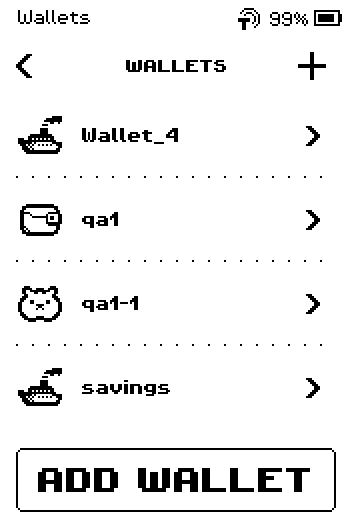
Wallets list showing the renamed wallet savings.
Part 2: Change the icon
In the wallet's settings, swipe up and tap Icon.
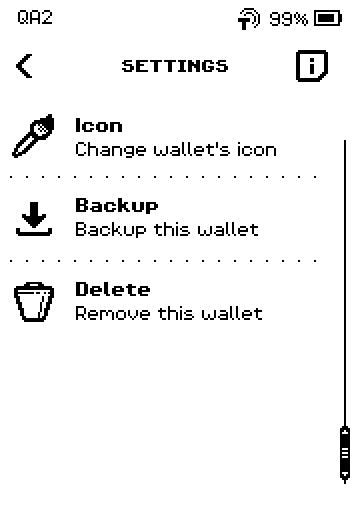
SETTINGS list, second page: Icon, Backup, Delete. Tap an icon.
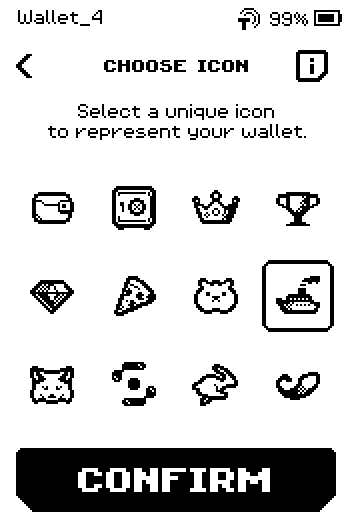
CHOOSE ICON grid with twelve icons and a CONFIRM button. Tap CONFIRM.
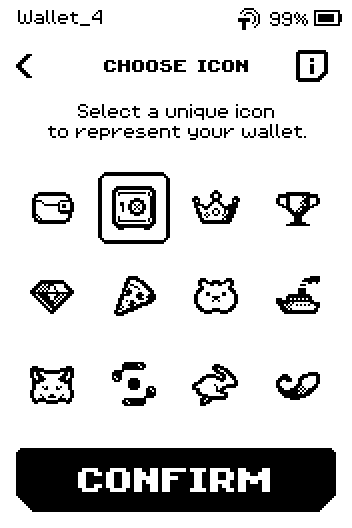
CHOOSE ICON grid with the safe icon selected. Tap DONE.
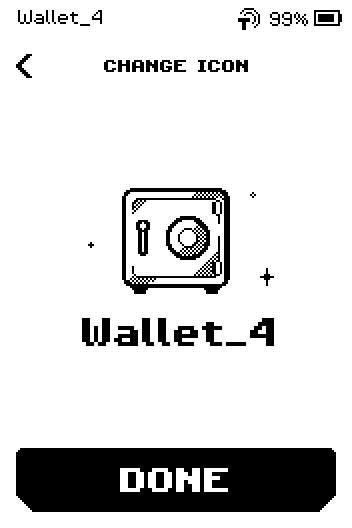
CHANGE ICON preview with the new safe icon, the wallet name and a DONE button. Check the new icon in the wallets list, which opens now.
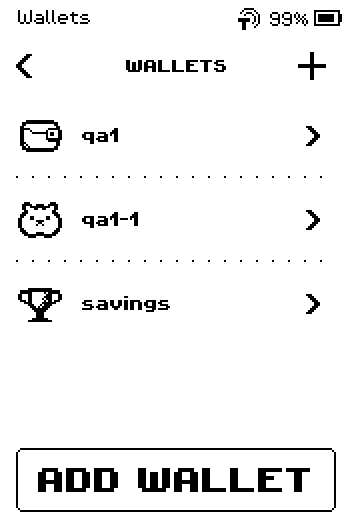
Wallets list showing the wallet with its new icon.
Part 3: Delete
Warning: Deleting removes the wallet from this device only; your coins stay on the blockchain. You can bring the wallet back at any time from its seed words or your ERA card, so check that you have that backup before you delete. Without a backup the coins are gone.
In the wallet's settings, swipe up and tap Delete.
SETTINGS list, second page: Icon, Backup, Delete. Tap and hold CONFIRM for 5 seconds until the bar is full.
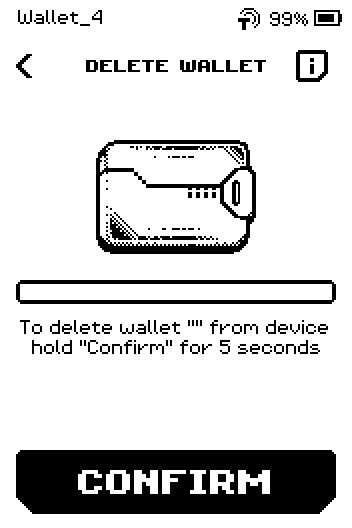
DELETE WALLET screen with a progress bar and a CONFIRM button.
The i screen on DELETE WALLET
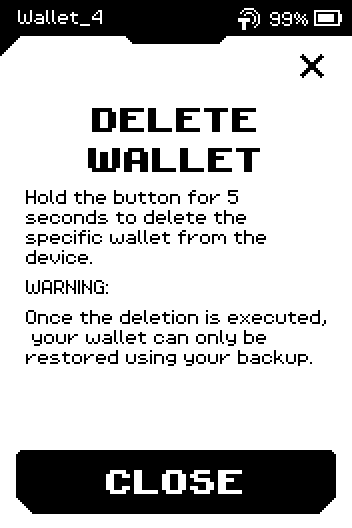
Tap i for the reminder: once deleted, the wallet can only be restored from your backup.
Tap anywhere. The wallets list opens without the deleted wallet.
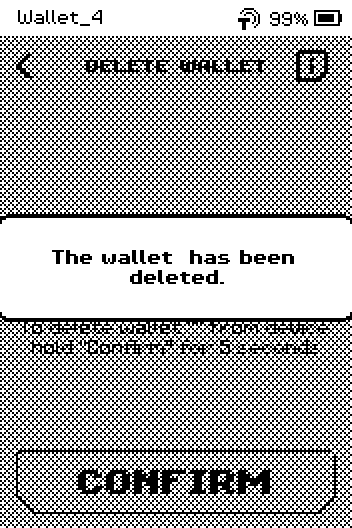
The wallet has been deleted message. Check that the wallet is gone from the wallets list.
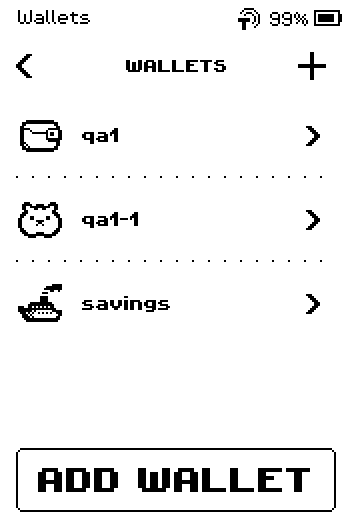
Wallets list with one wallet fewer.
Done
The wallet has its new name or icon, or it is gone from the device and can be restored from its backup.
Trouble?
The wallet screen still shows the old name or icon → tap the back chevron to the wallets list and open the wallet again; the list already shows the change.
The new name is refused → another wallet already has that name. Pick a different one.
Nothing happens when you tap CONFIRM on the delete screen → keep your finger on the button; a short tap does nothing.
You deleted the wrong wallet → restore it: from the Main menu, tap WALLETS > ADD WALLET and restore from seed words or ERA card. Any app linked to it keeps working once the wallet is back.