
Bitcoin multisig
View or delete a saved descriptor
Steps
Open the wallet's Bitcoin Multisig menu (steps 1–4 of Export your cosigner key).
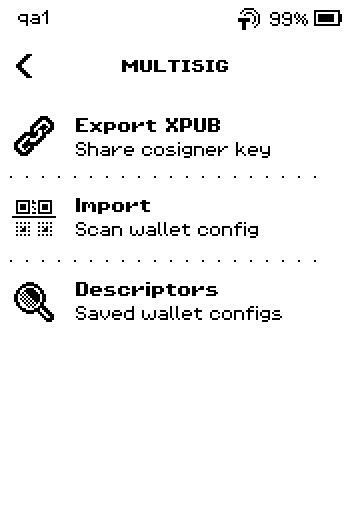
MULTISIG menu with Export XPUB, Import, Descriptors Tap Descriptors. Each row shows the wallet name and its rule, for example "2 of 3 - P2WSH"; rows ending in ALL are saved for every wallet on the device.
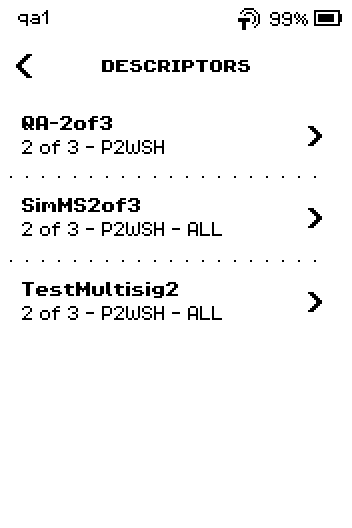
DESCRIPTORS list with QA-2of3, SimMS2of3 ALL, TestMultisig2 ALL Tap a descriptor. The first page shows Name, Policy, Format, Derivation and Verify.
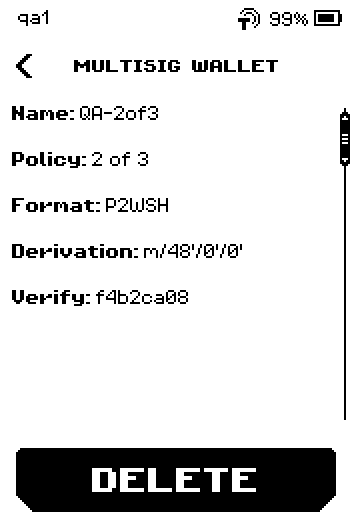
MULTISIG WALLET page with Name, Policy, Format, Derivation, Verify and DELETE Verify is an 8-character code that ERA works out from the descriptor itself: the cosigner fingerprints, their keys, the signing rule and the derivation path, hashed together. Two ERA devices holding the same wallet show the same code, and it tells two saved descriptors apart at a glance.
No coordinator app shows this code, so there is nothing in Sparrow, Nunchuk, Electrum, BlueWallet, Caravan or Specter Desktop to hold it against. Sparrow and Specter do print an 8-character checksum at the end of a descriptor, and Nunchuk uses one as an internal wallet ID, but that is a different calculation over a different alphabet and never matches ERA's code. Compare the cosigner fingerprints instead, as in step 4. Source: github.com, github.com, github.com
Swipe up to read the cosigners, one XFP (fingerprint) and key per row.
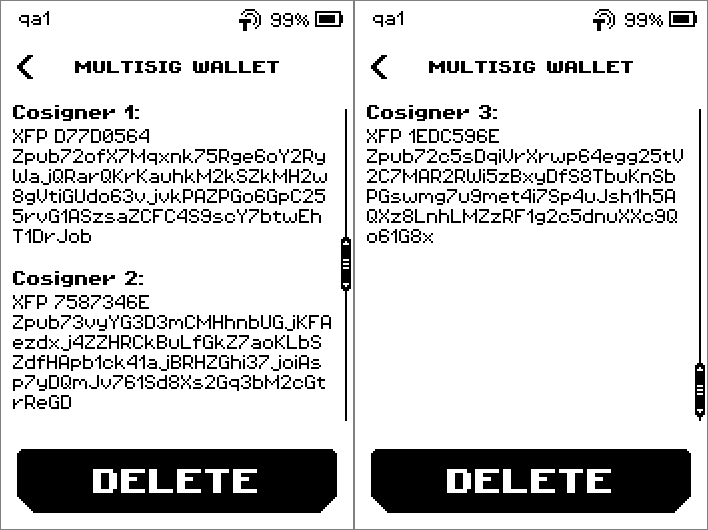
Paging through Cosigner 1, 2 and 3 with fingerprints and Zpub keys These rows are the ones to compare with your coordinator, together with Policy and Derivation from the previous page. In Sparrow, open the wallet's Settings tab and read Master fingerprint: on each tab under Keystores. In Nunchuk, open View wallet config and read the XFP: line on each key under Keys. Capitalisation differs from one app to the next; the eight characters are what must match. In Electrum they are under Wallet > Information, labelled BIP32 root fingerprint:; in BlueWallet, Export Coordination Setup lists one fingerprint and key per cosigner. Source: github.com, github.com, github.com, github.com
To remove the descriptor, tap DELETE. To keep it, tap the back chevron instead and stop here.
Warning: After deleting, ERA can no longer verify change for this wallet and shows the UNKNOWN DESCRIPTOR warning when you sign. Your bitcoin is not affected; import the descriptor again to restore the check.
Tap OK. ERA returns to the DESCRIPTORS list without the deleted entry.
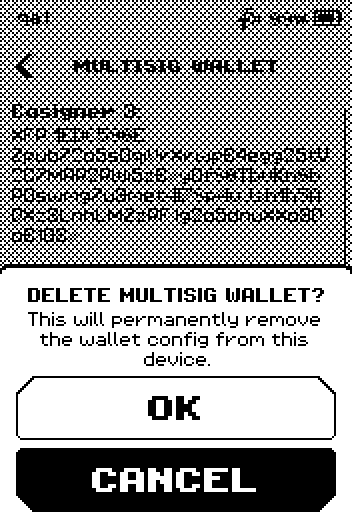
DELETE MULTISIG WALLET? popup with OK and CANCEL
Done
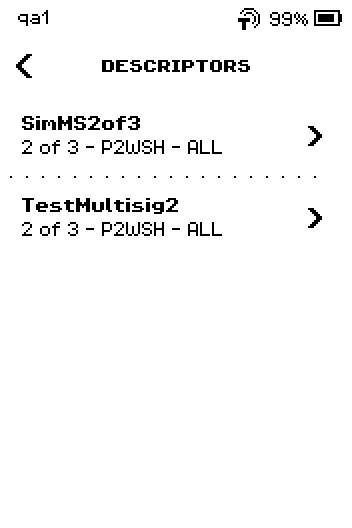
ERA shows the DESCRIPTORS list without the deleted entry. A copy saved with ALL WALLETS stays until you delete that entry too.
Trouble?
The list shows No descriptors saved. → nothing is saved for this wallet. See Import a multisig descriptor.
The Verify code does not match the checksum your coordinator shows → they are two different calculations, and they are not meant to agree. Compare the cosigner fingerprints, Policy and Derivation instead.
The same wallet name is listed twice, one with ALL → one copy is for this wallet, one for all wallets. Delete both if you want it gone everywhere.
A row you deleted is still there, now marked ALL → you deleted the wallet-only copy; open the ALL row and delete it too.